Android Lightbuild
My initial thoughts on Lightbuild, the new Android declarative build tool that is both human and AI friendly.

Android have released an experimental build tool called Lightbuild. Its stated aim is to make it easier to build Android projects for both the developer and for AI agents. Cool idea. It’s still in a preview state and rough around the edges, but I found it quite capable in its current form and am interested to see how it evolves.
My first thought was this might be an alternative to Gradle? WOW! That would be huge. Something like as big as when Google announced that they were going to officially support Kotlin back in 2017. But as it turned out… it’s not. It’s just Gradle under the covers.
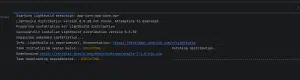
It has some limitations, which is to be expected in the early phases, but you can make a fully realised application right now. So what’s different?
YAML… YAML everywhere. The big difference that I notice is that instead of writing a Gradle script in either Groovy (boo) or Kotlin (yay!) you write it in YAML. It’s still a DSL, but it’s a YAML DSL now. OK…
Instead of this:
plugins {
    id("com.android.application")
}

android {
    namespace = "uk.co.mezpahlan.pods"
    compileSdk = 37

    defaultConfig {
        applicationId = "uk.co.mezpahlan.pods"
        minSdk = 24
        targetSdk = 37
        versionCode = 1
        versionName = "1.0"
    }
}

dependencies {
    implementation(project(":app-core"))
}
You write this:
platform: android
type: application

android:
  namespace: "uk.co.mezpahlan.pods"
  compileSdk:
    version:
      release:
        apiLevel: 37
  minSdk:
    version:
      release:
        apiLevel: 24
  targetSdk:
    version:
      release:
        apiLevel: 37
  applicationId: "uk.co.mezpahlan.pods"
  versionCode: 1
  versionName: "1.0"
  dependencies:
    module:
      - //app-core
Personally I don’t see much of a difference. All I see is a syntax difference. Is it any better. ¯\(ツ)/¯. I suppose you could start adding a more rigorous schema if you wrote the build definitions in YAML. I don’t know, I’m just guessing. After years and years (and a decade sigh) of looking at Gradle code I don’t actually care about expressing it in yet another language.
But this is supposed to be better for AI coding assistants.
The Lightbuild CLI is the official command-line tool for Lightbuild. Use the lightbuild command to build and test your project, find its build targets, and resolve its dependencies. Your AI agents can run the same commands. Projects that you create from a Lightbuild template include an AGENTS.md file that tells AI agents how to work with Lightbuild and the Lightbuild CLI.
All right, that’s cool… I suppose. If you work a lot with an AI coding clanker buddy you want to make its life easier?
Hang about… can’t your AI coding assistant already run Gradle commands and edit Gradle files? Seems pretty shit if it can’t. So what is the problem Lightbuild is solving? To be honest I don’t know, but I am curious since I like build stuff.
What I Was Able To Do With Lightbuild
I was pretty impressed with how far I was able to go with it. I very quickly created a project using Compose and importing a few of my favourite dependencies (OkHttp). The process was smooth and I didn’t run into any issues.
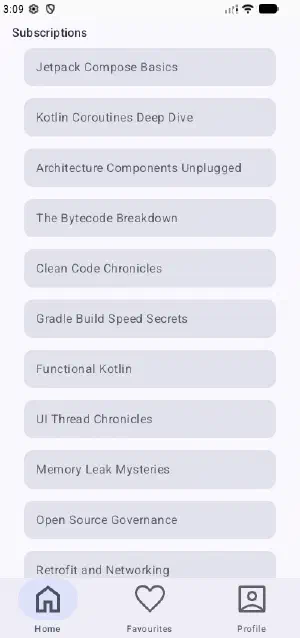
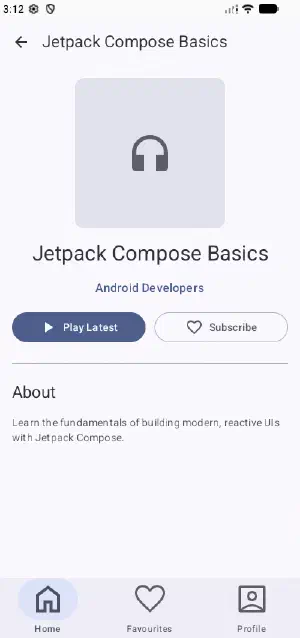
That is, of course, until I decided that I would like to add a build plugin like Dependency Guard, and then I couldn’t figure out how to do that because it is unsupported at the time of writing. That’s perfectly fine for now as I don’t really need that plugin. But what I would have liked is something like SQLDelight that requires a Gradle plugin to do its magic. Depending on the type of app you’re trying to create Lightbuild might or might not work out for you. For a simple to slightly less simple app it’ll be fine - and that is really saying something of “simple” apps if they are that good! For a moderately complex app respecting modern practices your mileage may vary. For a complex app, forget about it.
How Does It Compare To Project Amper?
The Kotlin Toolchain (formally Amper) looks remarkably similar to Android Lightbuild - at least to my novice eyes.
Whilst they both use YAML to define the build, the Kotlin Toolchain doesn’t use Gradle and instead is a replacement for it. I haven’t played around with it at all but that actually sounds fascinating. At the moment you’re still required to use Gradle if building an Android project as JetBrains has concentrated its efforts on pure JVM and (other) multiplatform targets first. But that may change in the future.
This is definitely something I want to keep an eye on. I don’t mind Gradle… but only because I have had years of fighting it and (I think) I understand the quirks. I’m certainly not a fan of the speed. Or the memory consumption. Or how you can do the same thing a bazillion different deprecated ways.
Conclusion
Had I never used Gradle and wanted a very Android specific abstraction to just get going without really thinking too hard about stuff that isn’t really Android but is needed to build Android nevertheless then Android Lightbuild sounds like a promising start. However, that isn’t where I am coming from and for the time being I don’t really see the point.
It’s not faster than Gradle. You can’t do anything you can’t also do with Gradle. AI tools have no issues working with Gradle. It might be cognitively easier for someone new to Android. I think that’s a plus point. But not for me. I don’t think I will be using it anytime soon. But I am half interested in seeing how far I can go with the Kotlin Toolchain. Maybe I will write about that next?